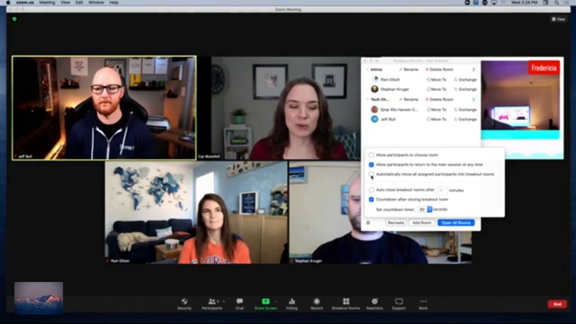
Breakout room timer setup
About This Video
So that's something you should keep in mind. Now another thing is that you can set a timer and this is actually newer to me. But let's. Say that you want this room to be two minutes long. This is a really quick example. Maybe we have 5 minutes or 10 minutes. Whatever you decide, you can actually enter the time for that breakout room. And then you can also toggle the countdown timer. So maybe I actually only want 15 seconds of a countdown timer. You can adjust that. So let's give that a try. And I'm also going to show you automatically moving all assigned participants because I know they're all here and paying attention. So let's do this. I'm going to recreate, I'm going to assign automatically, let Zoom do it, and create these rooms. So. What will happen is that when I open these rooms, everyone should be moved over, but now you'll actually see that there is a breakout room countdown timer. So right now you can see I'm seeing this, but everyone in the room is also seeing it. So I am going to you jump into a room and show you. So if I join room 1. OK, so I have. Joined this breakout. Room and if you look at the top you will see. That. There is a countdown directly in that breakout room, which means that everyone in this breakout room can see exactly how much time is still left for their breakout. There are advantages. To this you. Don't have to send a broadcast. Everyone knows how much time. However, this also means that some people might react to